All results for: "starbucks"
| « Previous | 231 to 240 of 525 | Next » |
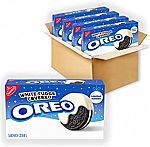
4-Pk 8.5-oz Oreo White Fudge Covered Chocolate Cookies
$11 and more
(Expired) Amazon has select snacks on sale. Click 1st subscribe coupon and select subscribe for sale price. Shipping is free with prime. [moreSubscribeOffers]
- 20 Ct Larabar Chocolate Mint Mini Bars $10.99 - 25% - 5% = $7.69
- (Expired) 14.5 oz Cheerios Breakfast Cereal, Very Berry $3.65 - 25% - 5% = $2.56
- 32-Pk RITZ Peanut Butter & Cheese Sandwich Cracker $15.18 - $3 - 5% = $11.42
- 3 Tins Starbucks Premium Instant Coffee Dark Roast $26.49 - $4.21 - 5% = $21
- 4-Pk 8.5-oz Oreo White Fudge Covered Chocolate Cookies $11.92 - 5% = $11.32
PayPal - $5 Off $10 Starbucks Purchase or Reload
(YMMV)
(Expired) PayPal Offers $5 Off with $10 Starbucks purchase or Reload at Starbucks® when you check out using PayPal. YMMV, Log in to save offer if you are eligible. Offer Ends 01/1/23.
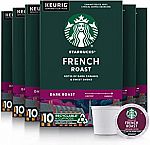
60-Count Starbucks K-Cup Coffee Pods (French Roast)
$23.12
(Expired) Amazon has 60-Count Starbucks K-Cup Coffee Pods (French Roast) for $23.12 with subscribe & save @5% off. Shipping is free with subscription.
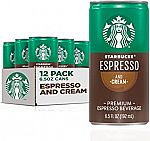
12-pack Starbucks Ready to Drink Coffee, Espresso & Cream, 6.5oz Cans
$14
(Expired) Amazon has 12-pack Starbucks Ready to Drink Coffee, Espresso & Cream, 6.5oz Cans for $17.48 - 15% 1st subscribe - 5% w/ subscribe = $14. Shipping is free with Prime. [moreSubscribeOffers]
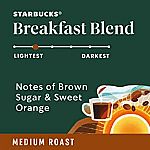
40 pods Starbucks Medium Roast K-Cup Coffee Pods — Breakfast Blend
$19
(Expired) Amazon has Starbucks Medium Roast K-Cup Coffee Pods — Breakfast Blend for Keurig Brewers — 1 box (40 pods) for $27.49 - 25% 1st subscribe - 5% w/ subscribe = $19.24. Shipping is free with Prime. [moreSubscribeOffers]
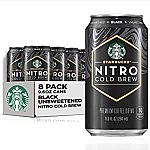
8 Pack Starbucks Nitro Cold Brew, Black Unsweetened, 9.6 fl oz Can
$21.50
(Expired) Amazon has Starbucks Nitro Cold Brew, Black Unsweetened, 9.6 fl oz Can (8 Pack) for $21.58 with subscribe. Shipping is free with Prime. [moreSubscribeOffers]
Anonymous
I see a few mentions of the caffeine content on the Amazon listing, 155mg and 235mg. Anyone know which it is? Too much caffeine is almost worse than none so you have to be careful.
3 years ago |
Anonymous
Mom tried them and didn't like it so she gave them to me. I tried it and didn't like them either. Somehow taste like alcohol and not like French or Vietnamese iced coffee at all. Will toss the rest.
3 years ago |
Anonymous
It’s not iced coffee. It is cold brew. Different brewing method. //@anonymous: Mom tried them and didn't like it so she gave them to me. I tried it and didn't like them either. Somehow taste like alcohol and not like French or Vietnamese iced coffee at all. Will toss the rest.
3 years ago |
Anonymous
Cold brewed... like beer. Got it thanks :) //@Anonymous: It’s not iced coffee. It is cold brew. Different brewing method. //@anonymous: Mom tried them and didn't like it so she gave them to me. I tried it and didn't like them either. Somehow taste like alcohol and not like French or Vietnamese iced coffee at all. Will toss the rest.
3 years ago |
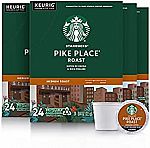
96-Count Starbucks K-cup Coffee Pods: Dark Roast
$38.25, Place Roast $39.20 & More
(Expired) Amazon.com has 25% Off 1ST Subscribe for Starbucks K-Cups (Various Flavors). Shipping is free + Extra 5% Off w/ Subscribe. [moreSubscribeOffers]
- 96-Ct Dark Roast French Roast $54.61 - 25% - 5% = $38.23
- 96-Ct Medium Roast Pike Place Roast $39.18
- 96-Ct Dark Roast Sumatra $39.18
- 96-Ct Blonde Roast Veranda Blend $39.18
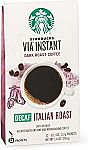
50-Count Starbucks VIA Ready Decaf Brew Coffee
$15.69
(Expired) Amazon has 50-Count Starbucks VIA Ready Brew Coffee, Decaf Italian Roast for $15.69. Extra 10% off with 5+ subscribe. Shipping is free with Amazon prime. [moreSubscribeOffers]
Anonymous
Pack of 12
3 years ago |
Anonymous
Decaf… //@anonymous: Pack of 12
3 years ago |
Starbucks Rewards Free 150 Stars Redeemable for a Free Drink via Spotify App
(Expired) Starbucks offers Free 150 Stars Redeemable for a Free Drink via Spotify App.
Update: First 50000 only, all used up.
- Make sure Spotify App and Starbucks App installed on your phone
- Starbucks App: Log into or sign up your Starbucks Rewards account
- Spotify App: Type "spotify:site:starbucks" in the search bar
- Scroll down and click "Learn More" (under "This One's On Us") and open up the Starbucks app
- Promo should be applied instantly and the star balance on the home screen should update within a few minutes.
Anonymous
First it said successful then it said could not be validated.
3 years ago |
Anonymous
Worked! So cool, thank you!!
3 years ago |
dealsea.com
wait a few minutes, the rewards will appear, I got the same msg when apply, but 150 star points appeared soon in app account. //@Anonymous: First it said successful then it said could not be validated.
3 years ago |
Anonymous
Worked. Thanks!
3 years ago |
Anonymous
Breakfast, courtesy Dealsea
3 years ago |
Anonymous
Thank you! Got 150 stars :) #SKC
3 years ago |
Anonymous
I dont get the option of this one on us
3 years ago |
Anonymous
learn more tap no longer exists
3 years ago |
Anonymous
Worked. Thanks!
3 years ago |
Anonymous
Not working for me
3 years ago |
Anonymous
I only see a list of songs and recommended beverages, but do not see >>"Learn More" (under "This One's On Us")
3 years ago |
Anonymous
Not working!
3 years ago |
Anonymous
"Learn More" has become "Discover More" and "This One's On Us" has disappeared
3 years ago |
Anonymous
Premium accounts only? Did not work for me :(
3 years ago |
Anonymous
did not find "This is on us"??? do we need to have Spotify membership?
3 years ago |
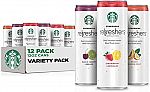
12-pack Starbucks RTD Energy Drink Variety Pack
$15
(Expired) Amazon has Starbucks RTD Energy Drink, Refreshers, 3 Flavor Variety Pack , 12oz Sleek Cans (12 Pack) for $15.39. Shipping is free with Prime.
| « Previous | 231 to 240 of 525 | Next » |
RECENT OFFERS
- US Polo Assn.:
Extra 25% off Site-wide - Tommy Hilfiger:
50% Off Dresses & Shirts! - Ray-Ban:
Enjoy 40% Off Prescription Lenses With Any Frame at Ray-Ban.com + Extra 10% off With AI Glasses + Free Shipping! - ECCO:
Savings Are Still On! Shop the Victoria Holiday Sale! up To 40% Off Plus 15% Off Orders $300 Plus!
Anonymous
just tried it, and doesn't work.
wasted $10 on the Paypal reload.
3 years ago |
Anonymous
Mine works! //@anonymous: just tried it, and doesn't work.
wasted $10 on the Paypal reload.
3 years ago |
Anonymous
Worked for me.
3 years ago |
andromeda3
You have to load the deal first by logging into Paypal and then do the recharger
3 years ago |
Anonymous
it worked for me //@Anonymous: just tried it, and doesn't work.
wasted $10 on the Paypal reload.
3 years ago |
Anonymous
Loaded deal into PayPal account. Used PayPal as payment method for $10 and got charged $5. Thanks!
3 years ago |
wang6866
worked for me:
You authorized a transaction to Starbucks - Seattle, WA. You saved $5.00 USD with your Special Offer.
Thanks for using PayPal. To see the full transaction details, log in to your PayPal account. Keep in mind, it may take a few moments for this transaction to appear.
Money won't leave your account until Starbucks - Seattle, WA processes your order.
Transaction ID
13D95333J9550405Y
Transaction date
Sep 23, 2022 12:37:11 PDT
Merchant
Starbucks - Seattle, WA
800-782-7282
Instructions to merchant
Egift
Invoice ID
5AL67C8P3AM74Q6S68S9C41ZZZ
Description Unit price Qty Amount
Starbucks Egift Purchase $10.00 USD 1 $10.00 USD
Subtotal $10.00 USD
Special Offer -$5.00 USD
Total $5.00 USD
Payment $5.00 USD
you have to use paypal when you checked out from Starbucks
//@Anonymous: just tried it, and doesn't work.
wasted $10 on the Paypal reload.
3 years ago |
Anonymous
Worked for me. Ty!
3 years ago |
Anonymous
Worked like a charm; thanks Dealsea!
3 years ago |
Anonymous
I believe you must login to your paypal account and add the offer to your acct before you checkout at starbucks.
3 years ago |
Anonymous
It works, check the Activity in your PayPal account,-5. //@Anonymous: just tried it, and doesn't work.
wasted $10 on the Paypal reload.
3 years ago |
Anonymous
Works for me. You need to add the offer in your Paypal account before making the purchase. //@Anonymous: just tried it, and doesn't work.
wasted $10 on the Paypal reload.
3 years ago |
Anonymous
Thank you dealsea
3 years ago |
Anonymous
worked
3 years ago |
Anonymous
Thank you!!!
3 years ago |
Anonymous
You authorized a transaction to Starbucks Coffee Company. You saved $5.00 USD with your Special Offer.
3 years ago |
Anonymous
remember to remove the paypal payment from your starbucks account after you do the reload.
3 years ago |
Anonymous
It worked ! Thank you
3 years ago |
Anonymous
Doesn’t work for me either. Already saved this offer at PayPal. //@anonymous: Works for me. You need to add the offer in your Paypal account before making the purchase. //@Anonymous: just tried it, and doesn't work.
wasted $10 on the Paypal reload.
3 years ago |
Anonymous
thanks Dealsea!
3 years ago |
Anonymous
worked!Thanks Dealsea
3 years ago |
Anonymous
I just reloaded my Starbucks.
3 years ago |
Anonymous
It worked. Just need to click the link through dealsea then log in the PayPal to add this deal. Then go to Starbuck App to load $10 through PayPal.u will see the final charge is $5. U don’t need to turn on the auto load option on Starbuck App.
3 years ago |
Anonymous
Do you mean “add fund” to an existing go? I tried this but it showed “Add $10”. I stopped there and didn’t click on “Add $10” as it seemed I would be charged $10 instead of $5. //@anonymous: It worked. Just need to click the link through dealsea then log in the PayPal to add this deal. Then go to Starbuck App to load $10 through PayPal.u will see the final charge is $5. U don’t need to turn on the auto load option on Starbuck App.
3 years ago |
Anonymous
Yes. U will see $10 will be charged on Starbuck App. But just $5 will be shown on the bank account. Just make sure you add the deal on PayPal account before loading money on Starbuck //@anonymous: Do you mean “add fund” to an existing go? I tried this but it showed “Add $10”. I stopped there and didn’t click on “Add $10” as it seemed I would be charged $10 instead of $5. //@anonymous: It worked. Just need to click the link through dealsea then log in the PayPal to add this deal. Then go to Starbuck App to load $10 through PayPal.u will see the final charge is $5. U don’t need to turn on the auto load option on Starbuck App.
3 years ago |